How to Monetize Your YouTube Gear List
Turn your equipment recommendations into revenue
When you’ve spent years curating the perfect camera, lighting and audio setup, your audience naturally wants to know what you use. Many creators leave money on the table by listing gear without a monetization strategy.
By turning your YouTube gear list into an interactive, shoppable experience, you can increase affiliate revenue and provide a better viewer experience. Long‑tail searches like “how to monetize YouTube gear list” are common because creators are looking for specific, actionable guidance.
Identify your niche and audience
Before building your gear list, identify who you serve. Is your channel focused on gaming, beauty, travel vlogs or educational tutorials? Knowing your niche helps you select gear your viewers will actually buy. For example, travel vloggers might emphasize lightweight tripods and compact microphones, while a beauty channel needs ring lights and HD cameras. Tailoring your list to your niche improves conversion.
Join affiliate programs and build your list
Next, join affiliate programs that align with your gear. Popular options include Amazon Associates, B&H Photo, Adorama and camera manufacturer programs. These programs provide unique links you can embed in descriptions or interactive images. Create a spreadsheet to track product names, descriptions, prices and affiliate links. When building your list, include honest reviews—viewers trust transparency.
Create an interactive gear hub
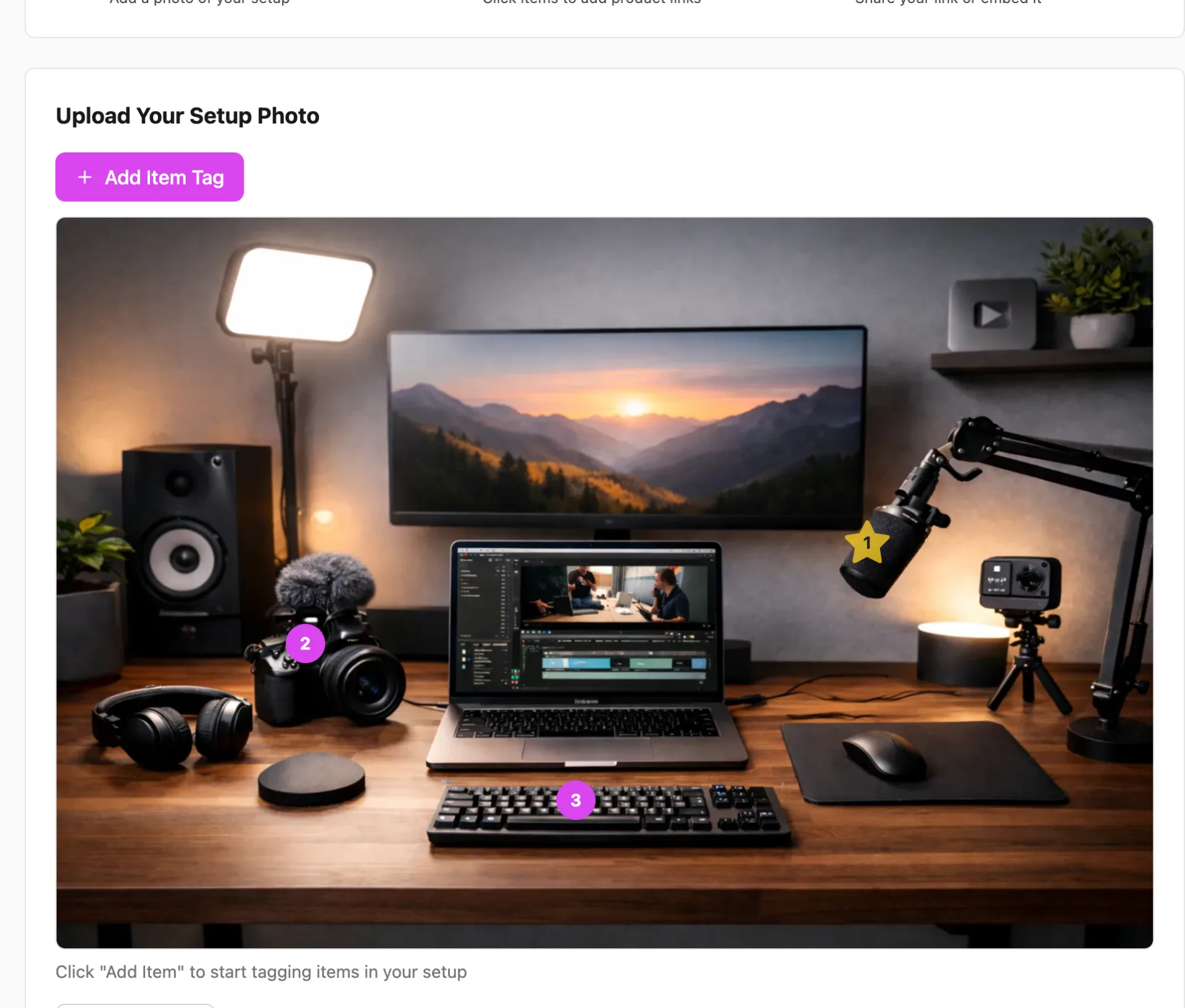
Static text links in YouTube descriptions often go unnoticed. Instead, build an interactive monetization hub using ShopMySetup. Upload a high‑resolution photo of your filming setup and tag each piece of gear. Visitors can hover or tap to view details and purchase links. Interactive images offer context, making it clear which microphone or lens you’re recommending. Example interactive image: imagine a photo of your desk with clickable tags on your camera, ring light and editing laptop. Each tag opens a short description and an affiliate link. This visual approach invites exploration and boosts click‑through.
Promote your gear list everywhere
Embed your interactive gear hub in your YouTube video descriptions, pin a comment directing viewers to the hub, and link it on your channel banner. Share the same link in your Instagram bio and on your blog. Cross‑promotion ensures your audience sees the hub regardless of where they follow you.
Track and optimize
Use ShopMySetup’s item‑level analytics to identify which products get the most clicks and purchasesshopmysetup.co. YouTube Analytics can also show traffic sources. When you notice certain items underperforming, swap them for alternatives or rearrange tags to highlight popular products. Regular updates keep your gear list relevant and profitable.
CREATE YOUR OWN FREE INTERACTIVE IMAGE...
Ready to turn your gear recommendations into a revenue stream? Start your free ShopMySetup account and create your interactive gear hub today.
Check out our YouTubers use‑case page .